In today’s world, people don’t use newspapers for advertising services as they did years ago. Instead, they go to Google to search for things like “best cafe near me,” “digital marketing services in Lucknow,” or “best dentist in Gomti Nagar.”
For example, if you owned one office in Lucknow five years ago and now have opened multiple other offices in Indira Nagar, Hazratganj, or even Noida from that one business, you may be wondering why you cannot find your business when doing Google searches.
The reason is that your business only appears when a person searches using a location.
This can be detrimental to customers who live near those locations because they may never find out about your business.
This is exactly why learning how to add multiple locations in Google Business is extremely important for the modern business
A properly optimised Google Business profile can help you rank higher on Google Maps. Moreover, optimise your listings on AI-based search platforms, voice, local recommendation, and answer search engines that people are searching for more often every single day.
If you are confused as to how to add multiple locations into Google Business, please read this guide for a clear understanding of everything
Why Multiple Locations Matter More Than Ever
As consumers perceive a business as trustworthy based on its visible presence on different platforms, they may perceive you as an established company when they see how many locations you have across different areas. When people searching for a digital marketing agency in Aliganj, Lucknow find your agency listed in Aliganj and not in Gomti Nagar because of an incorrect or missing Google listing, they choose another digital marketing agency from their local area because of a lack of perceived closeness to them.
Therefore, properly listing multiple physical locations for a business provides numerous benefits such as:
” Local visibility; Website traffic; Trust; Phone calls; Walk-ins; and Direct leads. ”
However, the biggest benefit of listing multiple locations is “Emotional Trust.”
Consumers feel more comfortable contacting businesses that appear successful and legit online than those who don’t have an established internet presence.
What Exactly is Google Business Profile?
Google Business Profile is a free business listing platform where companies can display their important information on Google Search and Google Maps.
When someone searches for your business or related services, Google may show:
your business name, address, photos, reviews, contact details, website link, opening hours, and directions.
For local businesses, this visibility is extremely powerful.
In many cases, customers call directly from Google without even visiting the website first.
That is why your Google Business Profile is not just a listing anymore. It has become your digital shopfront.
Can You Really Add Multiple Locations in One Google Business Account?
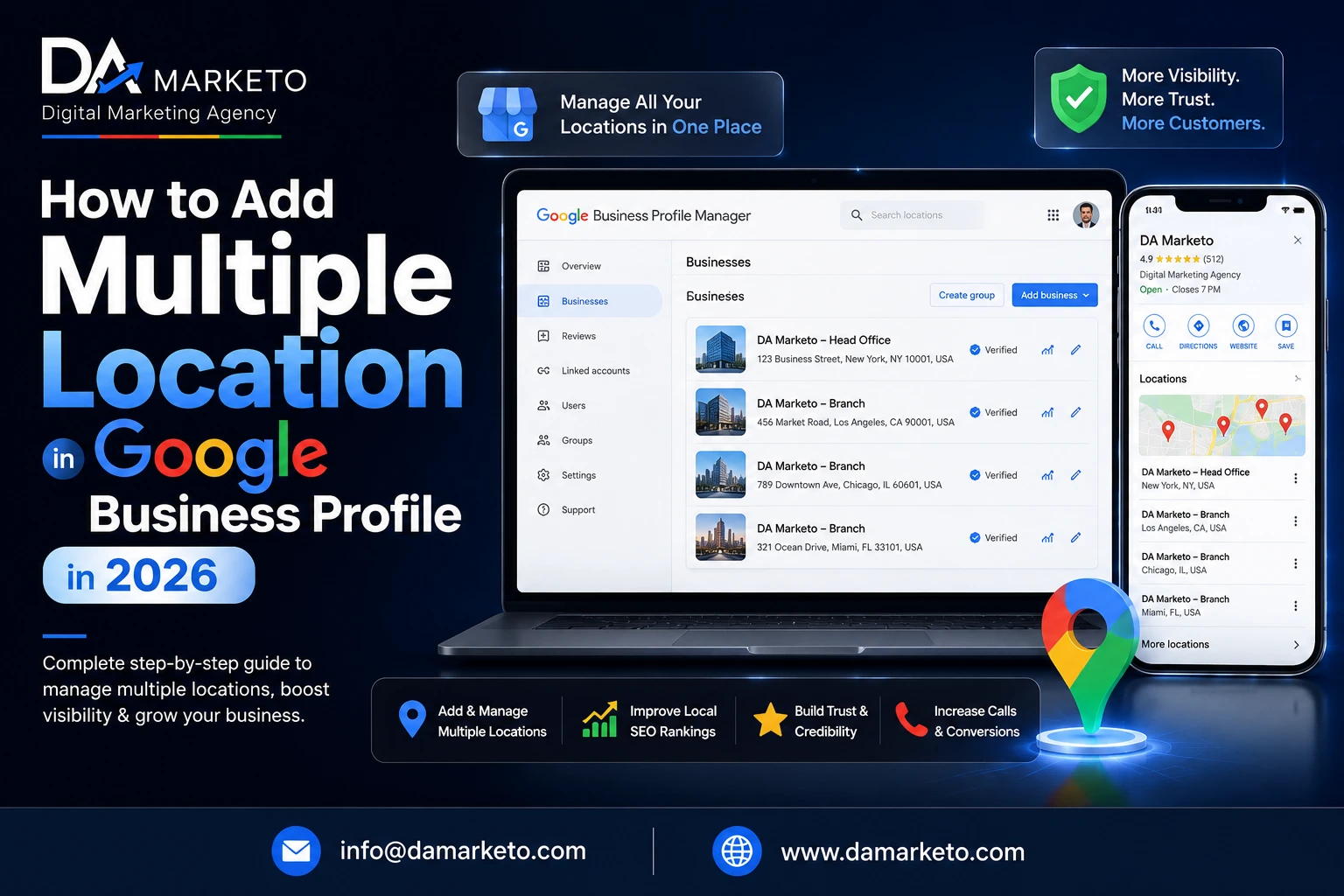
Yes. Google has a feature to help businesses do Multiple Location Management uder their Business Account. This is beneficial for those businesses that operate in different locations such as cities, areas, or branches.
For instance, if someone owns a business such as:
Salon
Clinic
Restaurant
Coaching Institute
Gym
Digital Marketing Agency with more than 1 office location
He/she can create a separate Google Business Listing Page per location.
However, there is one extremely important thing you will need to keep in mind before creating your Multiple Location Business Listings.
Each Location Must Be Real.
This is often where many businesses make significant errors.
There are business owners who create fake listings in cities that they do not even operate out of. They believe this shortcut will gain them rankings faster; however, Google has been very strict regarding spam business listings.
If Google discovers fake business addresses, duplicate business profiles and/or misleading information, your listing could be suspended indefinitely.
So, when you are attempting to add Multiple Locations to your Google Business Listing, authenticity will be more important than a trick.
Also Read: Why Your Google Business Profile Isn’t Ranking
Step-by-Step Process to Add Multiple Locations on GMB
Although not hard to do, completing this task correctly is crucial.
1. Start by signing into your Google Business Profile account. If you manage at least one listing already you will be able to easily add a new location from the dashboard.
2. On the dashboard, look for the “Add Business” button.
3. After clicking this link Google will ask you to provide information regarding your business.
This is where many people tend to make their second mistake.
They attempt to overcrowd their business name with keyword phrases.
For instance, they will utilize a name that does not represent who they are or what they do, such as:
“Best Cheap SEO Digital Marketing company in Lucknow”
Doing this looks highly spammy and may cause issues for them later in their business.
Do not fall into this trap, always use your actual business name in a natural manner.
4. After providing the above information, Google will ask for your category.
5. Select the category that best explains what products and/or services your business has to offer.
6. The next critical thing to provide when creating your Google Business Profile is your address.
Your business address must be totally accurate, comprehensive yet concise compared to your website as well as any other sites you might have online.
For example: If your business is located in Gomti Nagar, Lucknow, the complete business address must include:
building name,
road,
area,
city,
and state.
7. Depending upon the nature of your business, Google may require you to verify your account through one of the following methods: video call, postcard, telephone call, or e-mail.
Video verification is becoming much more common these days.
During verification processing, Google may ask you to show:
your office setup,
business board,
workspace,
staff area,
or service equipment.
This is done to ensure your business location is genuine.
Common Mistakes Businesses Make
Creating fake locations to obtain higher rankings on Google is the most common mistake businesses commit when performing local search engine optimization.
Renting a virtual office, or using a random address that does not have a physical location for your business is an example of this practice.
While this can produce some results in the beginning, you will eventually be flagged by Google for having multiple listings.
Another common issue in local listing optimization is using the same images, descriptions and content across all of your branches.
Google values uniqueness and will reward you for being consistent with your brand across all branches.
Each branch of your company should have its own identity, personality and image.
Your images should appear genuine and real.
Your reviews should appear to come from real customers.
Your descriptions should also take into consideration the location of the branch.
By having all of the elements of your listing appear real, you create a trust between Google and your company.
Also Read: How to Delete Reviews From Google Business Profile
Why Website Optimization Matters Along With Google Business
Many entrepreneurs consider that having Google business listings alone will help them achieve their goal.
While it’s an important part of an overall local marketing strategy, it’s usually not enough to achieve a high local ranking.
To achieve the best AEO, GEO, and SEO results for any business, an agency’s website must also complement its geo-based location-based marketing efforts.
For instance, if your agency provides its services to multiple cities, you should create separate web pages with titles like:”Top Digital Marketing Agencies in Hyderabad” or “SEO Agency in Pune.”
Each web page should include original locally-based content in addition to relevant examples of local populations and cities.
This will help both search engines and AI to determine:
Where you provide your services
What services you provide
Who you are marketing to
Today, search is no longer limited to Google.
Ordering systems are now recommending businesses based on their relevance, reputation, consistency, and the quality of their content.
This means that your complete online presence should be visible to everyone online.
Why Customers Emotionally Connect With Nearby Businesses
A company’s presence in the local area makes prospective customers feel safer about reaching out to them.
People see your office in their area and have become accustomed to seeing it.
You are familiar.
You are approachable.
You are reliable.
Even before engaging with you, potential customers have a psychological connection with your business due to the nature of their relationship with your local community.
This same sense of comfort emotionally impacts your ability to convert leads into sales as well.
Because of this relationship, businesses that have well-optimized local presences typically have a significantly larger quantity of leads than do other business that have poor local visibility.
Final Thoughts
If you learn to create multiple locations in Google Business, you will dramatically increase your local online presence.
No matter what type of business you may run (e.g., digital marketing agency, clinic, beauty salon, restaurant, coaching center, or any other local service business) creating additional business locations will help you to naturally obtain more customers.
However, keep in mind the following:
Don’t cut corners.
Google wants to reward companies that give true worth and provide real, accurate information.
Use bona fide “locations.”
Consistent branding.
Realistic images.
Current information.
Above all, focus on building trust with your customers.
As your business continues to build trust with your customers, it will also improve its placement on Google Maps, as well as become more visible on current search engines based on AI technology.
In the next several years, businesses with successful local optimization will dominate digital visibility.
If you are expanding your business into other regions or cities, now is the ideal time to accurately create the Locations in Google Business and build your business’s identity online.
Frequently Asked Questions
Is it free to add multiple locations in Google Business Profile?
Yes, Google Business Profile is completely free. You can create and manage multiple genuine business locations without paying anything.
Can I use the same phone number for all branches?
Yes, you can. But using separate contact numbers for different branches often improves customer experience and local trust.
Can fake locations rank on Google?
Sometimes fake listings may rank temporarily, but Google eventually removes or suspends them. Genuine locations are always safer for long-term growth.
Do I need separate websites for different locations?
No, one website is enough. But creating separate location pages for each city or branch improves SEO significantly.
Why is my Google Business location not getting verified?
Verification issues usually happen because of incomplete addresses, unclear videos, missing business proof, or inconsistent business information online.